> ## Documentation Index
> Fetch the complete documentation index at: https://docs.chaintable.com/llms.txt
> Use this file to discover all available pages before exploring further.
# Create a Function
> Create a Python Function with parameters to convert raw USDC amounts into token amounts.
A Function receives parameters, performs a calculation, and returns a result. This example converts a raw USDC amount into token units.
Open your [Space](https://chaintable.com/spaces). This example uses `demo`; replace it with your Space ID.
## Create the function
1. Open **Functions** and click **+** at the top right of the list.
2. In **New Function**, enter `usdc_amount` and click **Save and open**.
3. Replace the default editor code with:
```python theme={null}
def _(raw_amount):
return int(raw_amount) / 10 ** 6
```
The console uses `_` as the entry point. `raw_amount` is the raw integer USDC amount. USDC has 6 decimal places, so dividing by `10 ** 6` gives the token amount.
## Define parameters
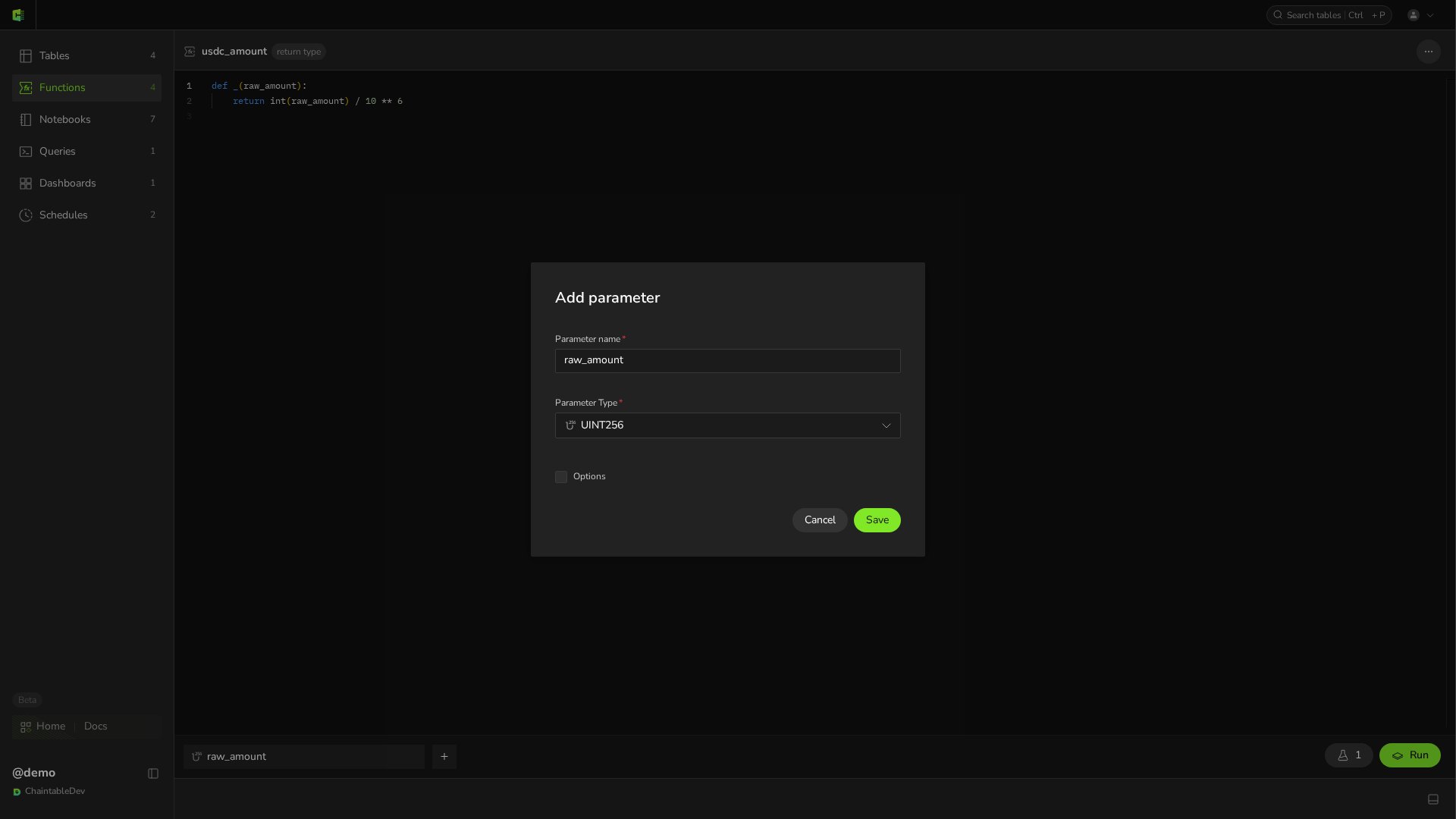
Hover over the parameter bar below the editor and click **+**. In **Add parameter**, set:
| Setting | Value |
| ------------------ | ------------ |
| **Parameter name** | `raw_amount` |
| **Parameter Type** | `UINT256` |
| **Options** | Leave unset |
Click **Save** in the dialog, then **Save** at the top of the page. Parameter order must match the positional arguments of `_`. Once saved, click the parameter chip to reopen the same dialog, now titled **Edit parameter**.
 The saved Function ID is `demo.usdc_amount`: `demo` is the Space ID and `usdc_amount` is the Function name.
## Test the result
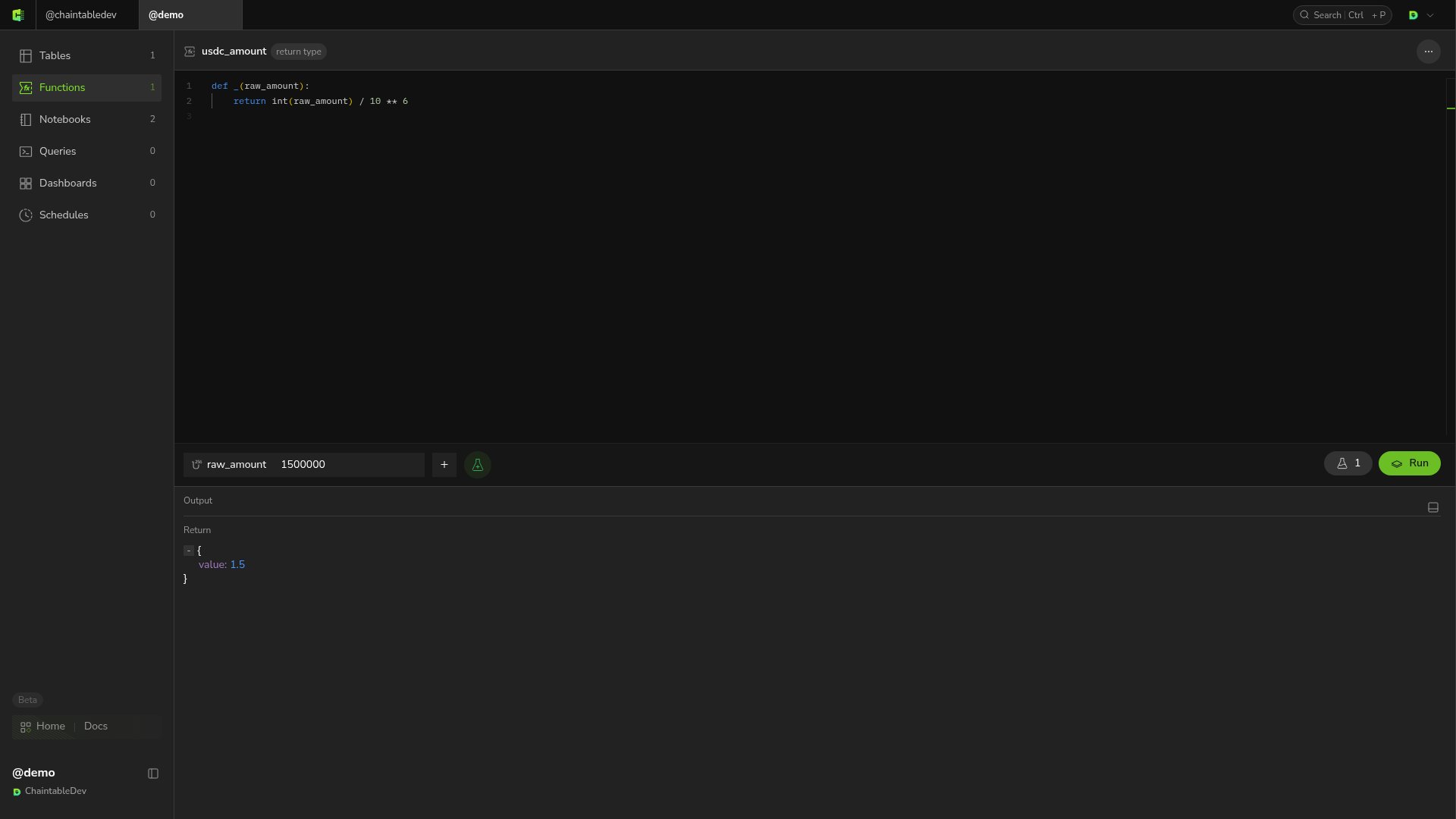
Enter `1500000` in the parameter input, move focus out of the input, and click **Run**. **Return** should show `1.5`.
The saved Function ID is `demo.usdc_amount`: `demo` is the Space ID and `usdc_amount` is the Function name.
## Test the result
Enter `1500000` in the parameter input, move focus out of the input, and click **Run**. **Return** should show `1.5`.
 Make later changes in the same editor. When **unsaved changes** appears, click **Review** to inspect changes and **Save** to save them.
See [Test and debug](/guides/functions/test-and-debug#save-test-inputs) for saving test parameters.
Make later changes in the same editor. When **unsaved changes** appears, click **Review** to inspect changes and **Save** to save them.
See [Test and debug](/guides/functions/test-and-debug#save-test-inputs) for saving test parameters.