> ## Documentation Index
> Fetch the complete documentation index at: https://docs.chaintable.com/llms.txt
> Use this file to discover all available pages before exploring further.
# Build a Pipeline
> Configure sources, functions, dependencies, and a target table for historical backfills and continuous updates.
A Pipeline passes source-table block data to a Function, then writes the results to a target table. The same configuration supports historical backfills and ongoing block processing.
First follow [Track liquidity pool reserves](/quickstart/build/track-pool-reserves) to create `demo.pool_reserves.eth`: **Block State**, and business fields `id: ADDRESS`, `reserve_usdc: UINT256`, and `reserve_weth: UINT256`.
## Configure the source and function
Create a Notebook in `demo` with the following script. `Sync` events trigger reserve reads; `SOURCE_ROW` passes the current event as a function argument.
```python theme={null}
from blockdb import Column, filter
from blockx import Pipeline, Trigger, SOURCE_ROW
def read_reserves(event):
from leafage import ChainState
pool = '0xb4e16d0168e52d35cacd2c6185b44281ec28c9dc'
chain = ChainState('eth', event['block_id'])
reserve_usdc, reserve_weth, _ = chain.call(
pool, 'getReserves()(uint112,uint112,uint32)', []
)
return {
'id': pool,
'reserve_usdc': reserve_usdc,
'reserve_weth': reserve_weth,
}
pipeline = Pipeline(
triggers=[
Trigger(
table='chain.event.eth',
func=read_reserves,
params=[SOURCE_ROW],
operator=filter(
(Column('contract_id') == '0xb4e16d0168e52d35cacd2c6185b44281ec28c9dc')
& (Column('name') == 'Sync')
),
),
],
target_table='demo.pool_reserves.eth',
)
pipeline.backfill(block_start=25939925, block_end=25939934)
```
| Setting | Purpose |
| -------------- | ------------------------------------------------------------------------------ |
| `triggers` | Source tables that trigger computation; multiple sources are supported |
| `table` | Full source table ID |
| `func` | Python function or a saved Function ID |
| `params` | Positional arguments; `SOURCE_ROW` is replaced by the source record |
| `operator` | Filters source records before computation, here by pool address and event name |
| `target_table` | Table receiving the function's returned records |
Import SDK dependencies inside the function body. This example queries the contract using the event's `block_id`, keeping reserve reads at that event's block state.
## Run a historical backfill
Save the script, choose compute resources, and click **Run**. `backfill()` includes both boundary heights; this example processes ten blocks.
When the run completes, check the Notebook output: this example processes 10 blocks and writes 2 records. Then open the target table to check its records and processed ranges.
## Declare dependencies
If the function reads another Block State Table, add that table to `depends`. For example:
```python theme={null}
pipeline = Pipeline(
triggers=[trigger],
target_table='your_space.output.eth',
depends=['your_space.reference_state.eth'],
)
```
This is a configuration fragment: replace `trigger` with a configured `Trigger` and both table IDs with actual tables. A dependency is not passed to the function automatically and does not independently trigger computation. It requires data at the corresponding height to be ready; the function must still read that table explicitly.
## Keep the table updated
After verifying a small backfill, replace the script's final line with:
```python theme={null}
pipeline.update()
```
`update()` fills gaps based on the target table's start height and processed ranges, then keeps processing new events.
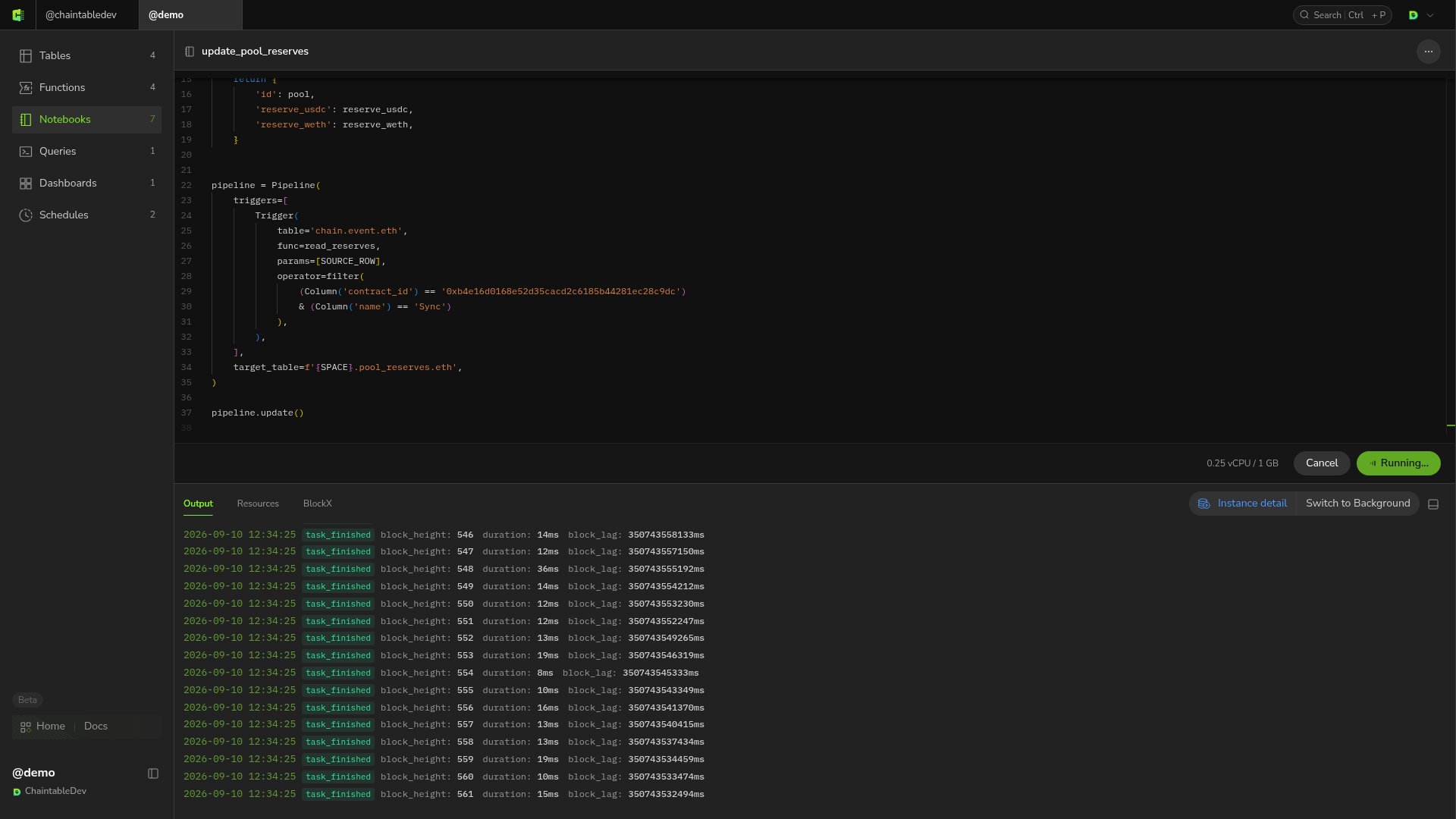 For ongoing execution, follow [Create a continuous schedule](/guides/notebooks/scheduling#create-a-continuous-schedule). To stop maintenance, disable the schedule and confirm its instance has ended.