> ## Documentation Index
> Fetch the complete documentation index at: https://docs.chaintable.com/llms.txt
> Use this file to discover all available pages before exploring further.
# Create a Notebook
> Create and save a Python driver script, then run a basic example with parameters.
Use Notebooks to run Python driver scripts for backfills, continuous updates, or batch computation. Open a Space where you have edit access; this example uses `demo`.
## Create a script
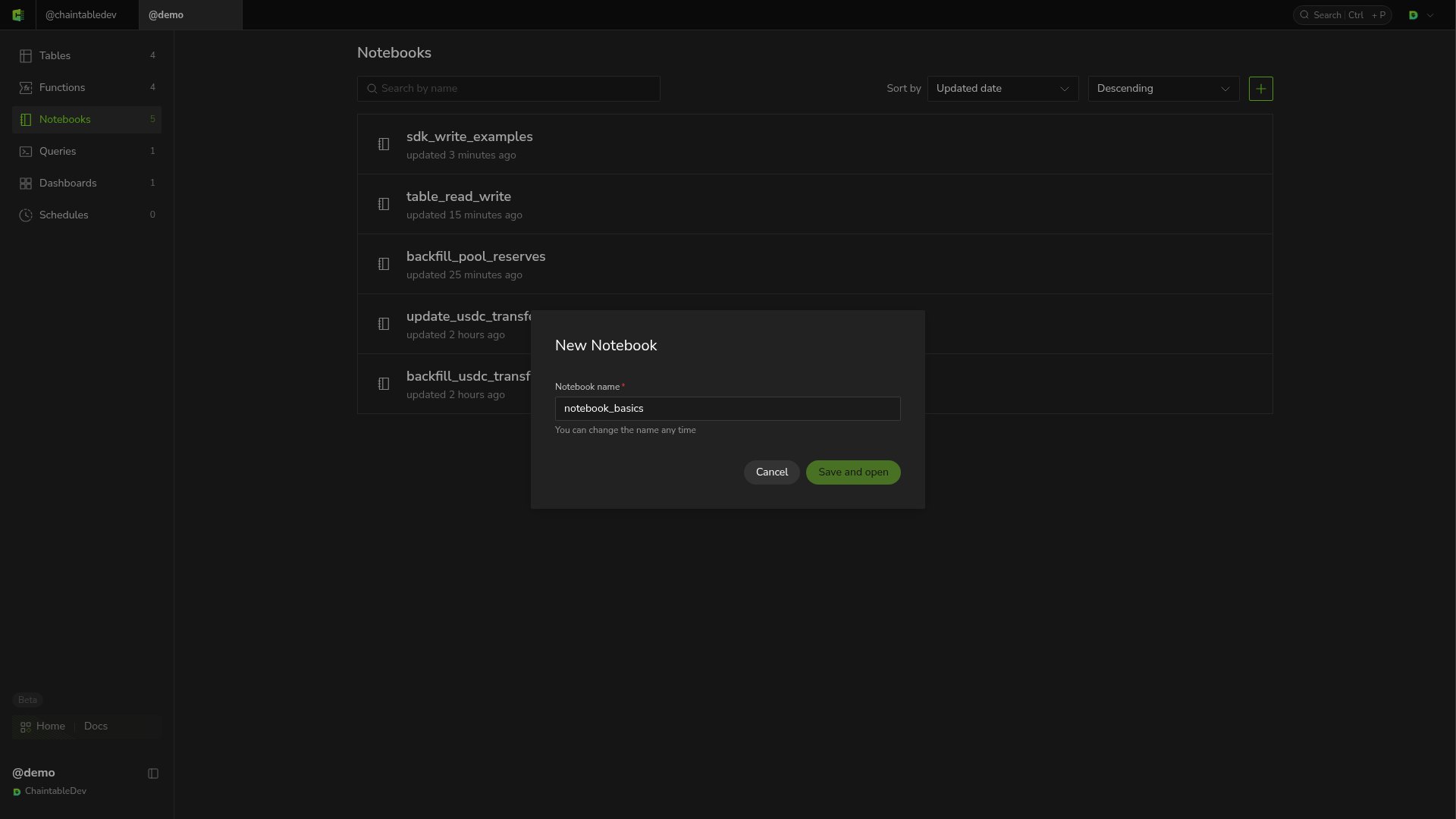
1. Open **Notebooks** in the sidebar and click **+** at the top right of the list.
2. Enter `notebook_basics` as the Notebook name.
3. Click **Save and open** to open the editor.
 ## Write and save
Enter this code in the editor:
```python theme={null}
from chaintable import arguments
args = arguments.get_arguments()
raw_amount = int(args.get('raw_amount', '1500000'))
print({'raw_amount': raw_amount, 'amount': raw_amount / 10 ** 6})
```
The script converts a raw USDC amount into tokens. `get_arguments()` reads run parameters and defaults to `1500000` if `raw_amount` is absent. Parameter values are strings, so the script converts the value to `int` first.
Click **Save** at the top after editing. When **unsaved changes** disappears, the changes have been saved.
## Run and view output
Select a compute specification at the bottom, such as **0.25 vCPU / 1 GB**, and click **Run**. When the script finishes, **Output** shows:
```text theme={null}
{'raw_amount': 1500000, 'amount': 1.5}
```
## Write and save
Enter this code in the editor:
```python theme={null}
from chaintable import arguments
args = arguments.get_arguments()
raw_amount = int(args.get('raw_amount', '1500000'))
print({'raw_amount': raw_amount, 'amount': raw_amount / 10 ** 6})
```
The script converts a raw USDC amount into tokens. `get_arguments()` reads run parameters and defaults to `1500000` if `raw_amount` is absent. Parameter values are strings, so the script converts the value to `int` first.
Click **Save** at the top after editing. When **unsaved changes** disappears, the changes have been saved.
## Run and view output
Select a compute specification at the bottom, such as **0.25 vCPU / 1 GB**, and click **Run**. When the script finishes, **Output** shows:
```text theme={null}
{'raw_amount': 1500000, 'amount': 1.5}
```
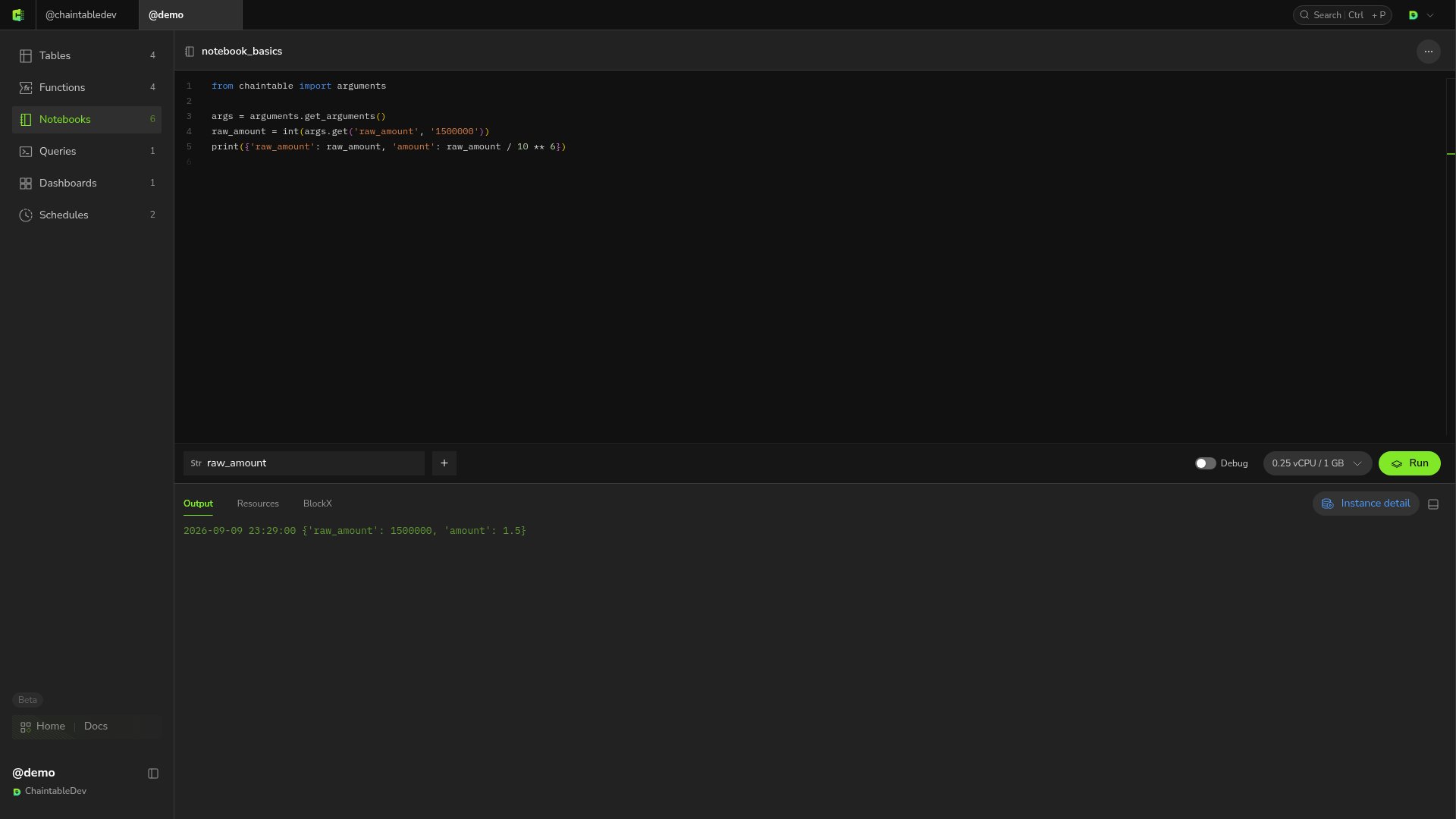 To enter a different `raw_amount` in the UI, add a parameter with that name and set its value. See [Manage runs](/guides/notebooks/manage-runs#set-parameters).