> ## Documentation Index
> Fetch the complete documentation index at: https://docs.chaintable.com/llms.txt
> Use this file to discover all available pages before exploring further.
# Authentication
> Create and manage Access Keys and pass authentication in an HTTP request header.
OpenAPI authenticates requests using an account's Access Key. The management page is called **API Keys**, and the request header is `AccessKey`.
## Create an Access Key
1. Sign in to [Chaintable](https://chaintable.com/) and switch to the account whose units you will use.
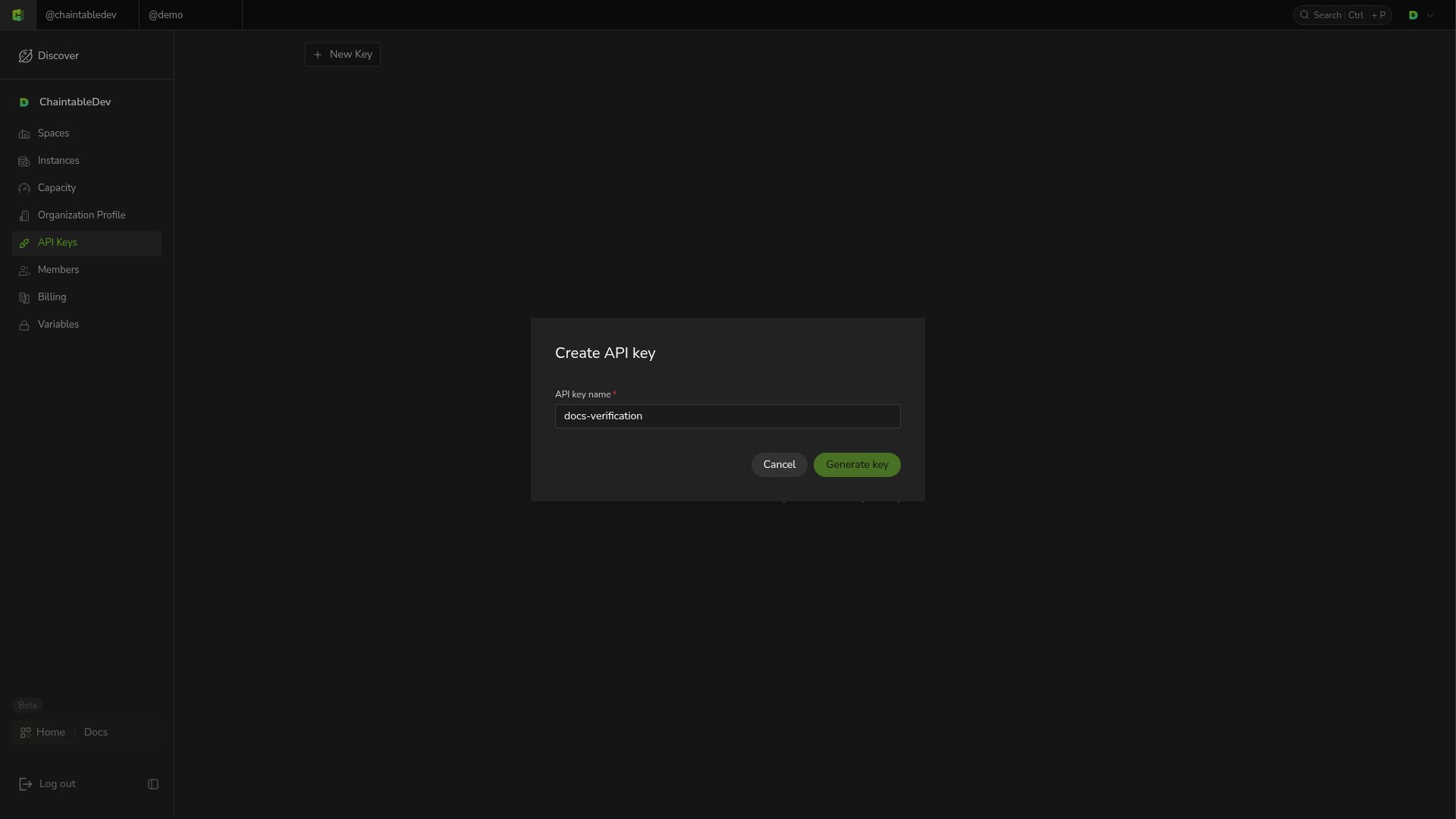
2. Open **API Keys** from the account menu and click **New Key**.
3. Enter a descriptive name, such as `analytics-service`, and click **Generate key**.
4. Copy the generated Key into an application environment variable or secret manager.
 A Key represents its owning account. Calls across multiple Keys share that account's quota. Keep real Keys out of repositories, public documentation, and browser frontend code.
## Pass the Key in requests
Set `CHAINTABLE_ACCESS_KEY` to the real value in your environment, then query remaining account units:
```bash theme={null}
curl 'https://openapi.chaintable.com/v1/account/units' \
-H "AccessKey: $CHAINTABLE_ACCESS_KEY"
```
A successful request returns HTTP `200` with `code` set to `success`. `data` contains the remaining units as `monthly_units` and `addon_units`.
## Manage and replace Keys
**API Keys** shows names and masked values. To replace an application's Key, create a new one, update application configuration, verify requests, then delete the old Key.
A Key represents its owning account. Calls across multiple Keys share that account's quota. Keep real Keys out of repositories, public documentation, and browser frontend code.
## Pass the Key in requests
Set `CHAINTABLE_ACCESS_KEY` to the real value in your environment, then query remaining account units:
```bash theme={null}
curl 'https://openapi.chaintable.com/v1/account/units' \
-H "AccessKey: $CHAINTABLE_ACCESS_KEY"
```
A successful request returns HTTP `200` with `code` set to `success`. `data` contains the remaining units as `monthly_units` and `addon_units`.
## Manage and replace Keys
**API Keys** shows names and masked values. To replace an application's Key, create a new one, update application configuration, verify requests, then delete the old Key.
 Click the Key's delete icon and confirm with **Delete**. Deletion cannot be undone. Once deleted, the Key disappears from the list.
See [Calling functions](/guides/openapi/calling) for Function request formats.
Click the Key's delete icon and confirm with **Delete**. Deletion cannot be undone. Once deleted, the Key disappears from the list.
See [Calling functions](/guides/openapi/calling) for Function request formats.