> ## Documentation Index
> Fetch the complete documentation index at: https://docs.chaintable.com/llms.txt
> Use this file to discover all available pages before exploring further.
# 创建 Function
> 创建带参数的 Python Function,将 USDC 原始金额转换为代币数量。
Function 接收参数、执行计算并返回结果。下面创建一个将 USDC 原始金额转换为代币数量的函数。
进入自己的 [Space](https://chaintable.com/spaces)。本文使用 `demo`,操作时替换为你的 Space ID。
## 创建函数
1. 打开 **Functions**,点击列表右上角的 **+**。
2. 在 **New Function** 中将名称填为 `usdc_amount`,点击 **Save and open**。
3. 将编辑器中的默认代码替换为:
```python theme={null}
def _(raw_amount):
return int(raw_amount) / 10 ** 6
```
控制台中的入口函数名为 `_`。`raw_amount` 是 USDC 的原始整数金额;USDC 使用 6 位小数,除以 `10 ** 6` 后得到代币数量。
## 定义参数
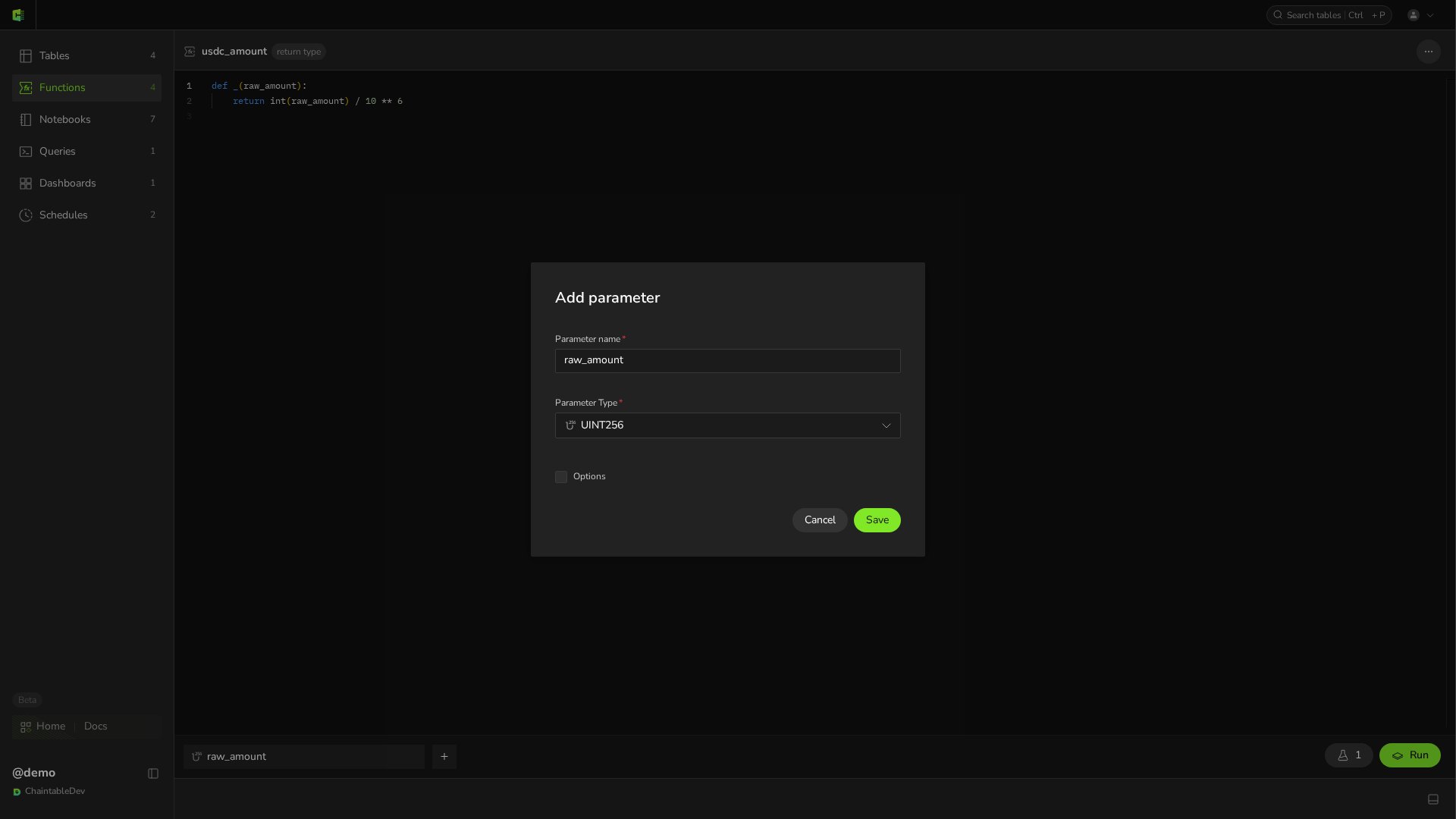
将鼠标移到编辑器下方的参数栏,点击 **+**,在 **Add parameter** 中设置:
| 设置 | 值 |
| ------------------ | ------------ |
| **Parameter name** | `raw_amount` |
| **Parameter Type** | `UINT256` |
| **Options** | 不设置 |
点击弹窗中的 **Save**,再点击页面顶部的 **Save** 保存 Function。参数顺序应与 `_` 的位置参数顺序一致。保存后点击参数条可以重新打开同一个弹窗修改,此时标题为 **Edit parameter**。
 保存后的 Function ID 为 `demo.usdc_amount`,其中 `demo` 是 Space ID,`usdc_amount` 是 Function 名称。
## 测试结果
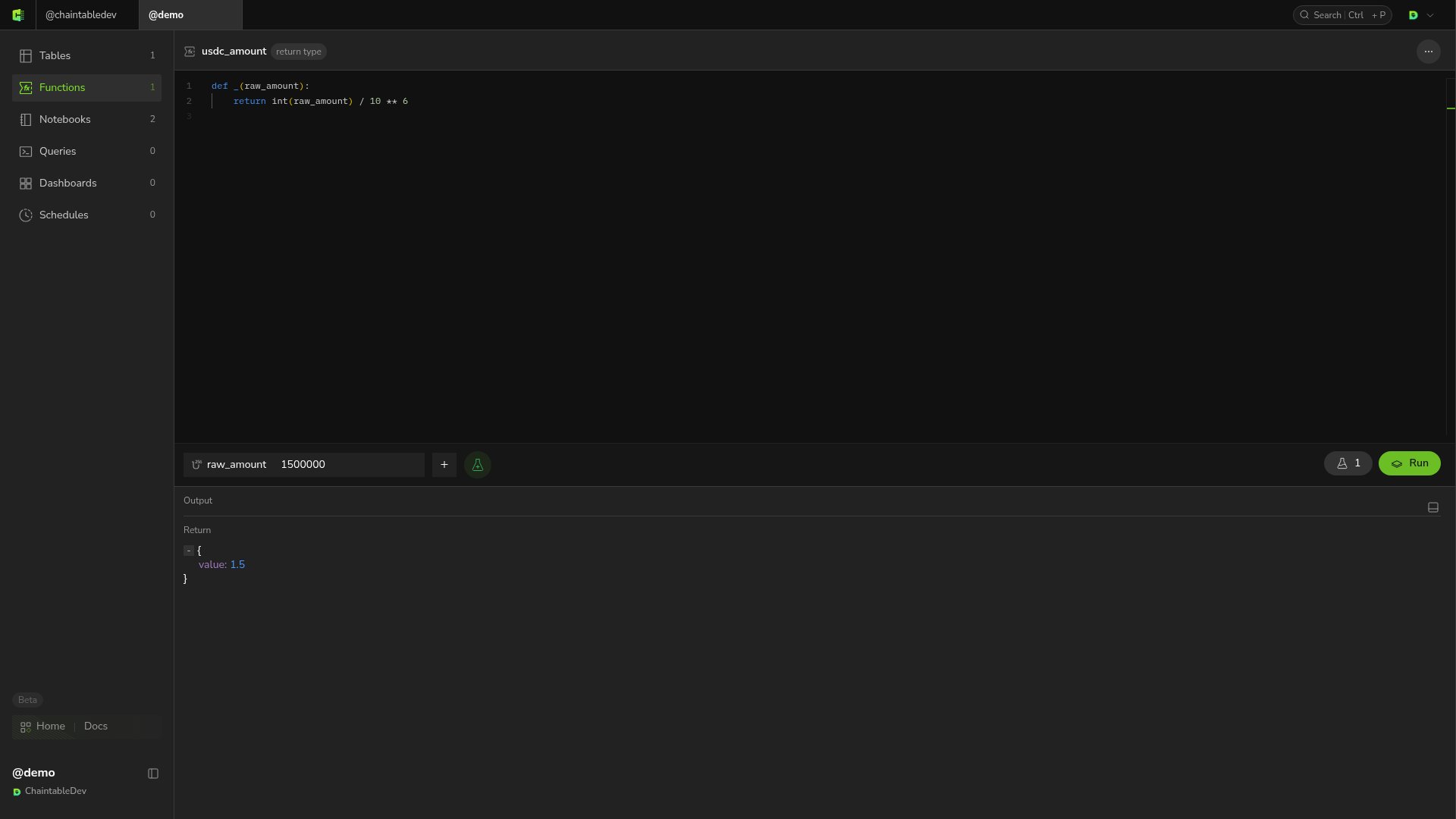
在参数输入框中填入 `1500000`,离开输入框后点击 **Run**。**Return** 中应显示 `1.5`。
保存后的 Function ID 为 `demo.usdc_amount`,其中 `demo` 是 Space ID,`usdc_amount` 是 Function 名称。
## 测试结果
在参数输入框中填入 `1500000`,离开输入框后点击 **Run**。**Return** 中应显示 `1.5`。
 后续修改仍在同一编辑器中完成。出现 **unsaved changes** 时,点击 **Review** 查看修改,点击 **Save** 保存。
保存测试参数的方法见[测试调试](/zh/guides/functions/test-and-debug#保存测试参数)。
后续修改仍在同一编辑器中完成。出现 **unsaved changes** 时,点击 **Review** 查看修改,点击 **Save** 保存。
保存测试参数的方法见[测试调试](/zh/guides/functions/test-and-debug#保存测试参数)。