> ## Documentation Index
> Fetch the complete documentation index at: https://docs.chaintable.com/llms.txt
> Use this file to discover all available pages before exploring further.
# 测试调试
> 设置 Function 的测试参数,保存测试用例,并根据返回结果和错误信息调试。
在 Function 编辑器中可以直接运行当前代码,检查返回值和日志。以下使用[创建 Function](/zh/guides/functions/create)中的 `usdc_amount`。
## 运行测试
1. 打开 Function,在编辑器下方找到 `raw_amount` 输入框。
2. 输入 `1500000`,按 Tab 或点击其他位置,使输入生效。
3. 点击 **Run**,等待运行结束。
4. 在 **Output** 的 **Return** 中查看结果,应为 `1.5`。
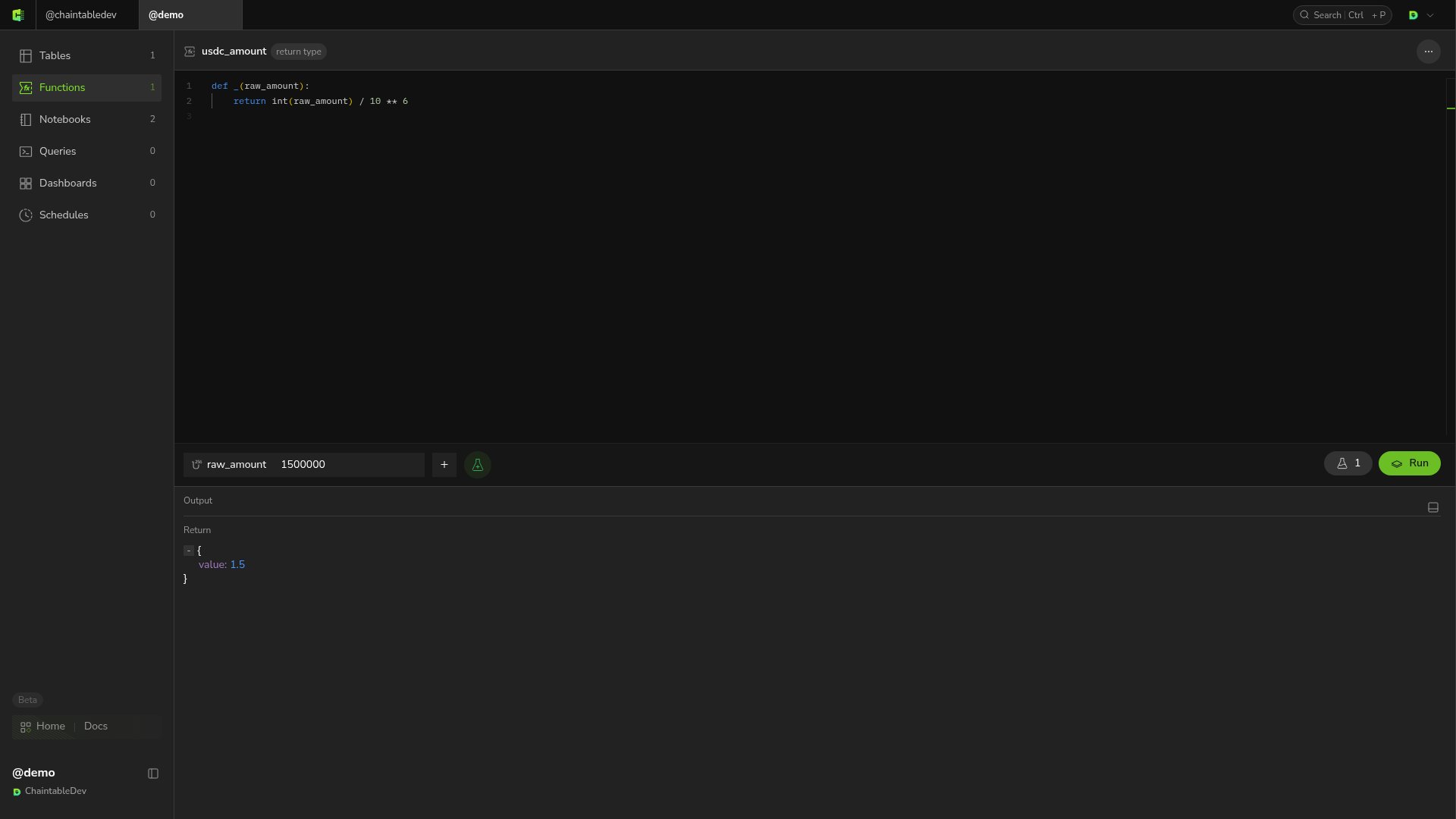 `return` 的值显示在 **Return** 中,`print()` 的内容显示在输出区域。
## 保存测试参数
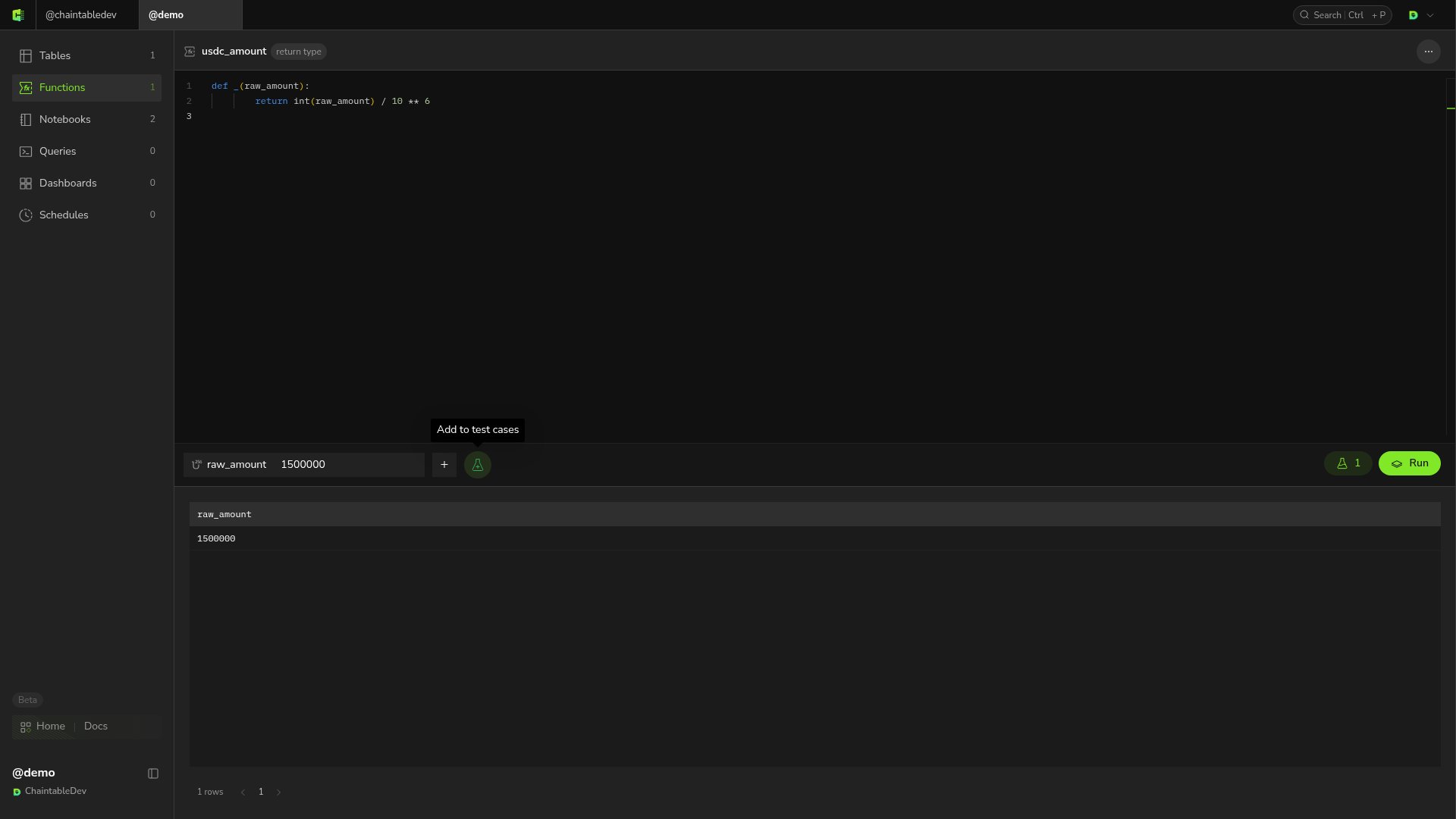
将鼠标移到参数栏,点击带加号的烧瓶图标 **Add to test cases**,保存当前参数组合。右侧烧瓶按钮上的数字是已保存的测试用例数量。
点击该按钮展开测试用例列表,选择已有记录恢复参数,再点击 **Run**。
`return` 的值显示在 **Return** 中,`print()` 的内容显示在输出区域。
## 保存测试参数
将鼠标移到参数栏,点击带加号的烧瓶图标 **Add to test cases**,保存当前参数组合。右侧烧瓶按钮上的数字是已保存的测试用例数量。
点击该按钮展开测试用例列表,选择已有记录恢复参数,再点击 **Run**。
 ## 查看错误并重测
将代码中的除数 `10 ** 6` 临时改为 `0`,保留输入 `1500000` 后运行。除零会触发 `ZeroDivisionError`。输出中包含 `division by zero` 及指向该行的 traceback。
## 查看错误并重测
将代码中的除数 `10 ** 6` 临时改为 `0`,保留输入 `1500000` 后运行。除零会触发 `ZeroDivisionError`。输出中包含 `division by zero` 及指向该行的 traceback。
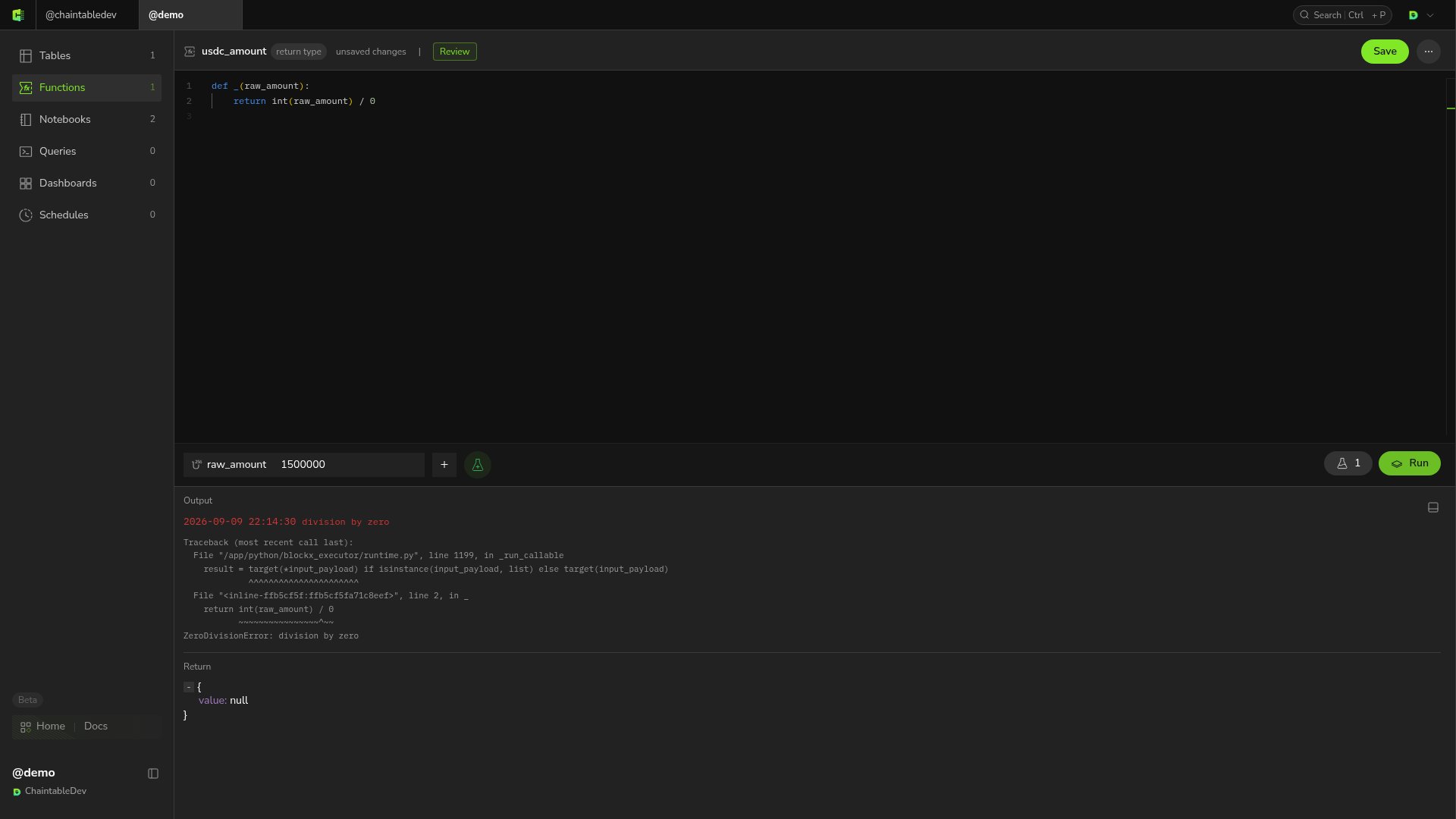 将除数恢复为 `10 ** 6`,保存并重新运行,返回值应恢复为 `1.5`。