> ## Documentation Index
> Fetch the complete documentation index at: https://docs.chaintable.com/llms.txt
> Use this file to discover all available pages before exploring further.
# 进阶功能
> 订阅区块事件、提交自定义 BlockX 任务,并读取账户运行变量。
需要自行控制触发时机、任务输入或结果处理时,可以在 Notebook 中组合 BlockDB 和 BlockX。
## 订阅区块事件
`Subscribe` 接收表 ID 列表,`listen()` 持续返回 `(table_id, block)`。下面订阅以太坊事件表,收到一个新区块后退出;30 秒内没有事件也会结束,适合先验证连接。
```python theme={null}
from threading import Timer
from blockdb import Subscribe
sub = Subscribe(tables=['chain.event.eth'])
timer = Timer(30, sub.close)
timer.start()
try:
for table_id, block in sub.listen():
print(table_id, block.id, block.height, block.timestamp)
break
finally:
sub.close()
timer.cancel()
```
`block` 提供区块 ID、高度和时间。
订阅用于持续消费新事件,不能替代完整的历史回填。需要长期监听时,移除示例中的计时器和 `break`,再按[创建持续运行调度](/zh/guides/notebooks/scheduling#创建持续运行调度)完成配置。
## 自定义任务输入和结果
先按[创建 Function](/zh/guides/functions/create)创建并保存 `demo.usdc_amount`。在 Notebook 中提交两组位置参数:
```python theme={null}
from blockx import InputsCallConfig, ReturnValueHandler, TaskBuilder
config = InputsCallConfig(
func='demo.usdc_amount',
callList=[[1500000], [2000000]],
)
result = TaskBuilder.build(config, ReturnValueHandler()).submit(timeout=30)
if not result.task_result.success:
raise RuntimeError(result.error)
print(sorted(result.handler_result))
```
输出为 `[1.5, 2.0]`。`callList` 的每个子列表对应一次函数调用;`ReturnValueHandler` 收集返回值,不写入数据表。结果顺序不保证与输入一致;需要关联输入时,让函数在返回值中携带业务 ID。
要把结果交给数据表,选择对应的结果处理器:
| 处理器 | 用途 |
| ---------------------------------------------------- | ------------------------------- |
| `ReturnValueHandler()` | 把计算结果返回给 Notebook |
| `NormalTableWriteHandler(targetTable=...)` | 写入普通表 |
| `TimeTableWriteHandler(targetTable=...)` | 写入含 `id`、`time_at`、`value` 的时间点 |
| `BlockTableWriteHandler(targetTable=..., block=...)` | 把单一区块的结果写入区块表 |
## 读取运行变量
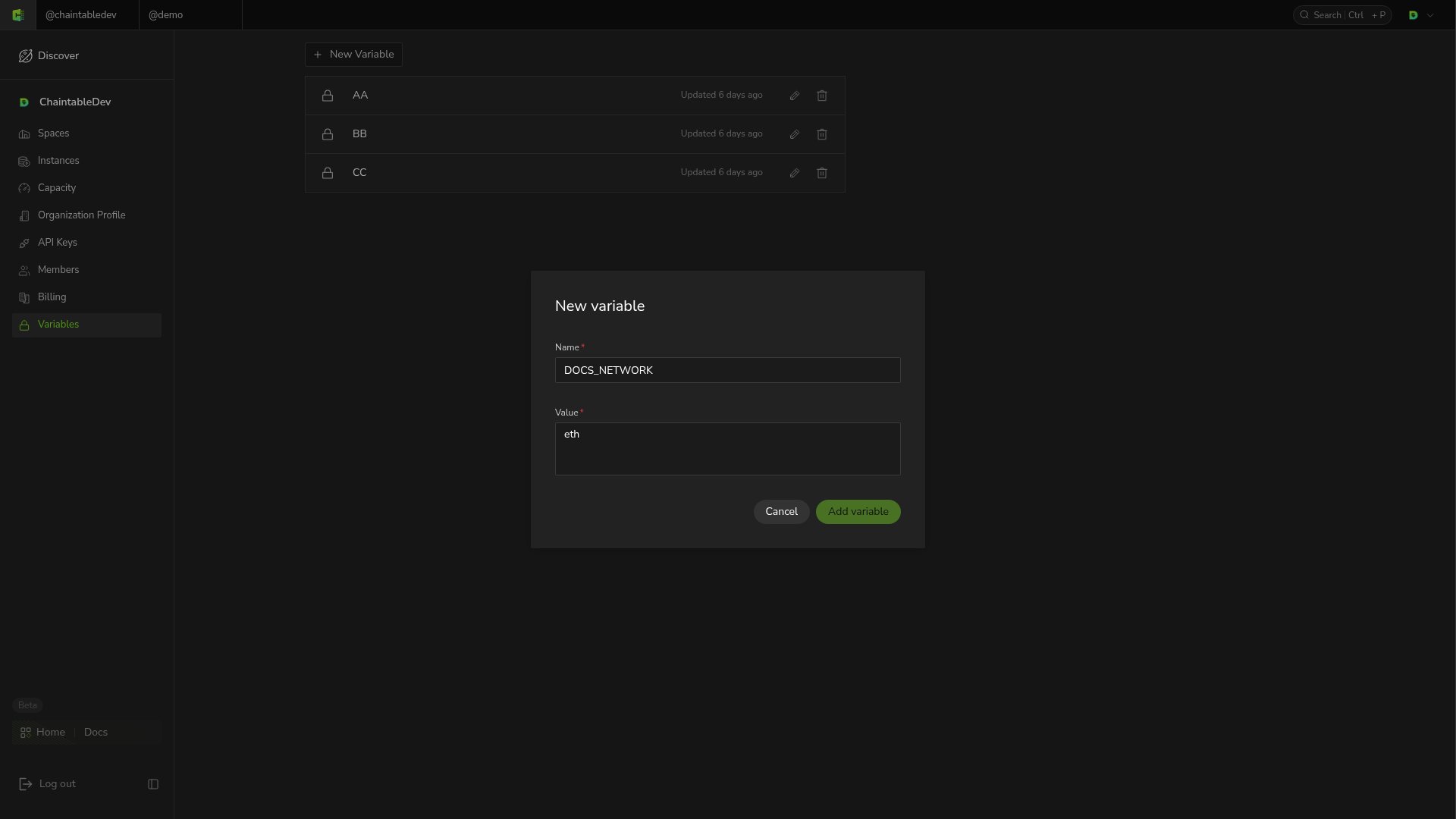
1. 切换到 Notebook 所属账户,在账户菜单打开 **Variables**。
2. 点击 **New Variable**,输入名称 `DOCS_NETWORK` 和值 `eth`。
3. 点击 **Add variable**,然后在 Notebook 中读取:
```python theme={null}
from chaintable import variables
network = variables.get('DOCS_NETWORK', 'eth')
print(network)
```
 变量属于账户,由运行环境确定可访问的账户。名称不存在时返回第二个参数指定的默认值;省略默认值时返回 `None`。
涉及密钥的变量不要打印到日志中。
变量属于账户,由运行环境确定可访问的账户。名称不存在时返回第二个参数指定的默认值;省略默认值时返回 `None`。
涉及密钥的变量不要打印到日志中。