> ## Documentation Index
> Fetch the complete documentation index at: https://docs.chaintable.com/llms.txt
> Use this file to discover all available pages before exploring further.
# 身份认证
> 创建和管理 Access Key,并通过 HTTP 请求头传递认证信息。
OpenAPI 使用账户的 Access Key 认证请求。网页中的管理入口称为 **API Keys**,请求头名称为 `AccessKey`。
## 创建 Access Key
1. 登录 [Chaintable](https://chaintable.com/),切换到要承担调用用量的账户。
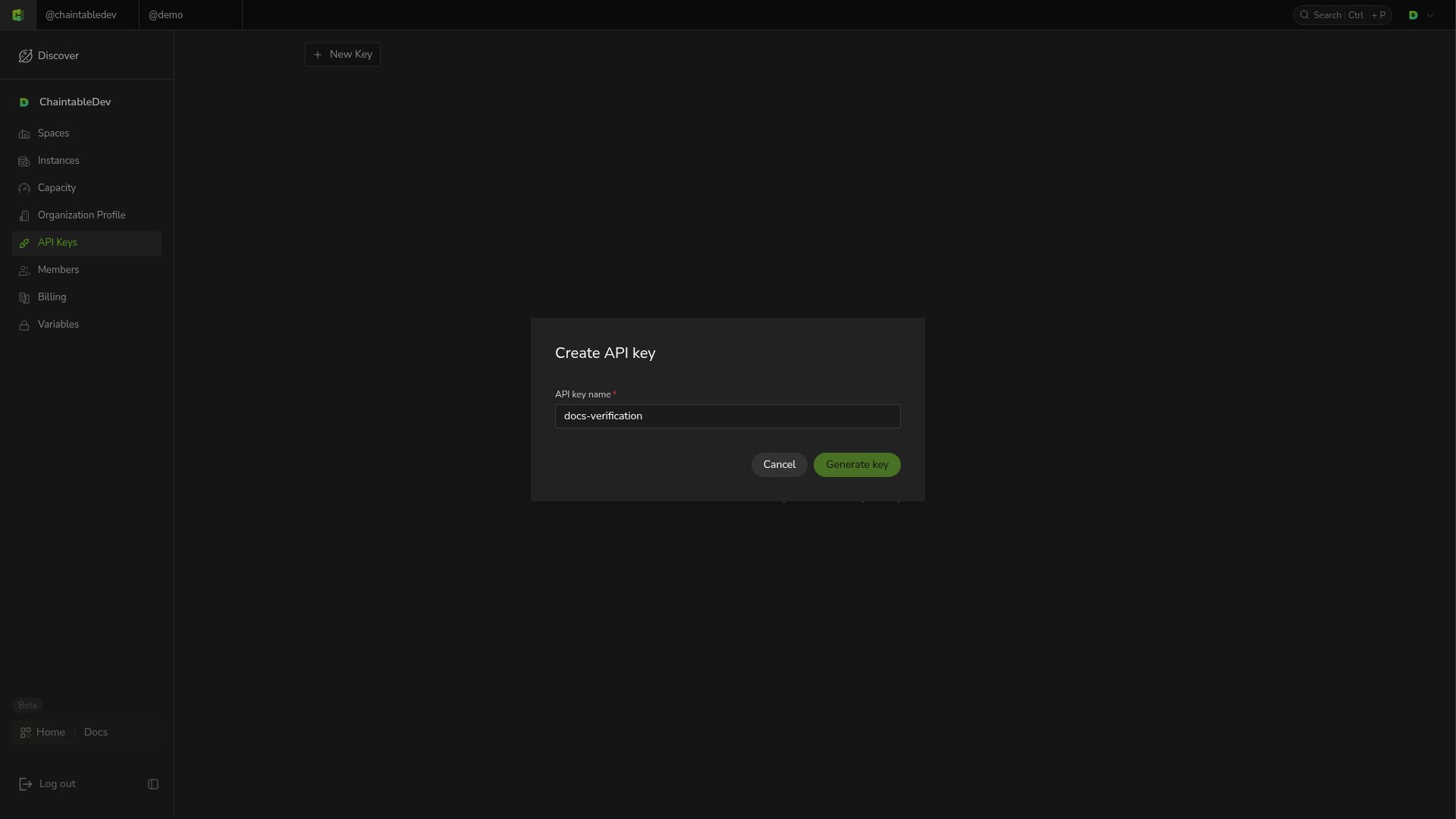
2. 从账户菜单进入 **API Keys**,点击 **New Key**。
3. 输入便于识别用途的名称,例如 `analytics-service`,点击 **Generate key**。
4. 复制生成的 Key,保存在应用的环境变量或密钥管理服务中。
 Key 代表所属账户,多个 Key 的调用共同使用该账户的额度。不要将真实 Key 写入代码仓库、公开文档或浏览器前端代码。
## 在请求中传递 Key
将真实值配置为环境变量 `CHAINTABLE_ACCESS_KEY` 后,查询账户剩余单位:
```bash theme={null}
curl 'https://openapi.chaintable.com/v1/account/units' \
-H "AccessKey: $CHAINTABLE_ACCESS_KEY"
```
请求成功时返回 HTTP `200`,`code` 为 `success`,`data` 包含剩余单位 `monthly_units` 和 `addon_units`。
## 管理和更换 Key
**API Keys** 列表显示 Key 名称和掩码。要替换应用使用的 Key,先创建新 Key,更新应用配置并验证请求,再删除旧 Key。
Key 代表所属账户,多个 Key 的调用共同使用该账户的额度。不要将真实 Key 写入代码仓库、公开文档或浏览器前端代码。
## 在请求中传递 Key
将真实值配置为环境变量 `CHAINTABLE_ACCESS_KEY` 后,查询账户剩余单位:
```bash theme={null}
curl 'https://openapi.chaintable.com/v1/account/units' \
-H "AccessKey: $CHAINTABLE_ACCESS_KEY"
```
请求成功时返回 HTTP `200`,`code` 为 `success`,`data` 包含剩余单位 `monthly_units` 和 `addon_units`。
## 管理和更换 Key
**API Keys** 列表显示 Key 名称和掩码。要替换应用使用的 Key,先创建新 Key,更新应用配置并验证请求,再删除旧 Key。
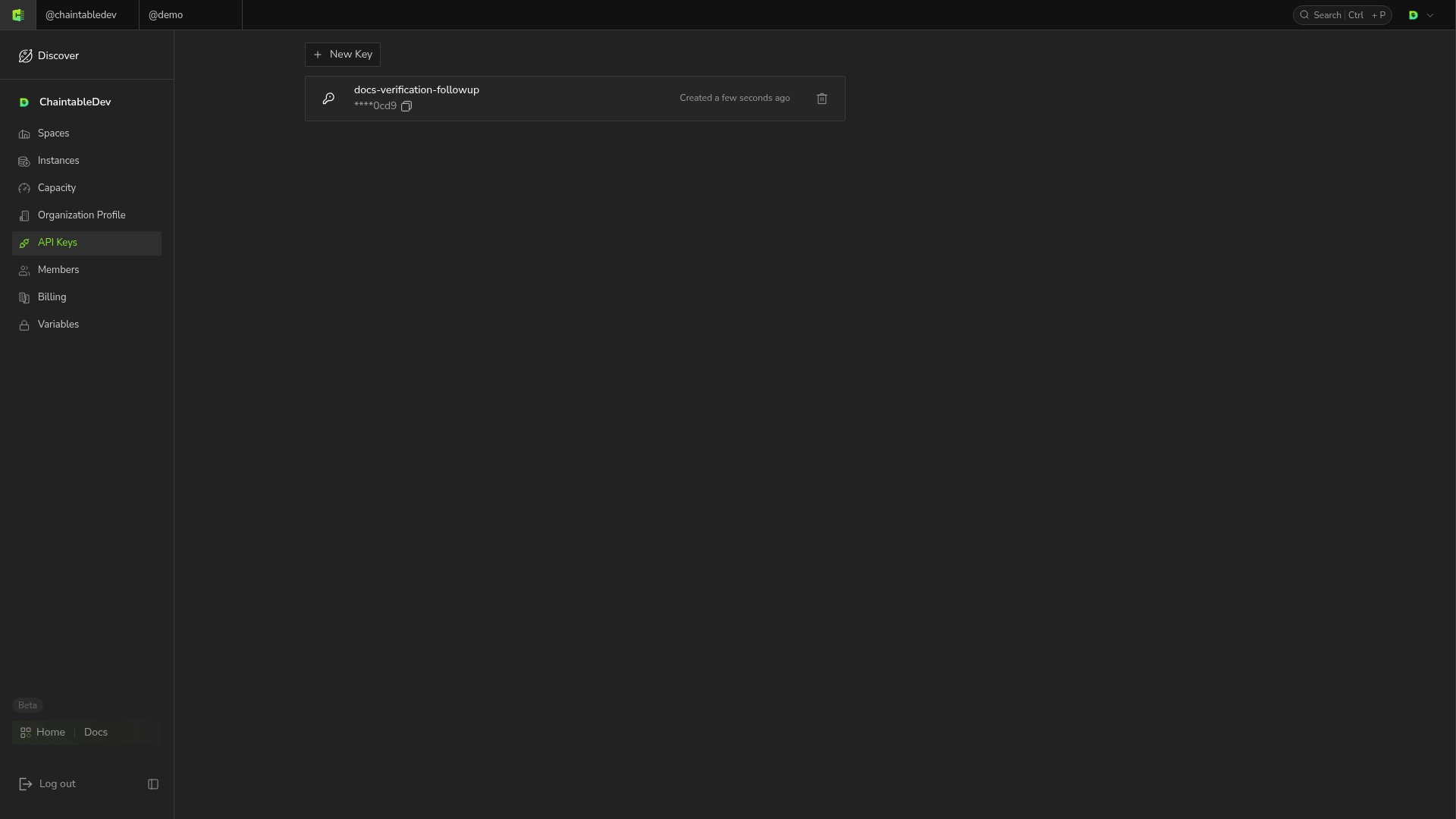 点击对应 Key 的删除图标,在确认框中点击 **Delete**。删除不可恢复,完成后该 Key 从列表中移除。
Function 请求格式见[接口调用](/zh/guides/openapi/calling)。
点击对应 Key 的删除图标,在确认框中点击 **Delete**。删除不可恢复,完成后该 Key 从列表中移除。
Function 请求格式见[接口调用](/zh/guides/openapi/calling)。