> ## Documentation Index
> Fetch the complete documentation index at: https://docs.chaintable.com/llms.txt
> Use this file to discover all available pages before exploring further.
# 创建和管理表
> 选择表类型、定义字段和索引,并查看或管理表配置。
在自己的 Space 中创建表,先选择数据模型,再定义字段。以下示例在 `demo` Space 中创建普通表 `asset_notes`,用于保存资产说明和金额。
Space 当前只提供 Public 可见性,其中的表和数据对其他用户可见。见[账户管理](/zh/guides/accounts/management)。
## 选择表类型
在 **Tables** 中点击右上角 **+**,在 **New Table** 中选择 **Table Type**。
| 类型 | 何时使用 |
| --------------- | ------------------ |
| **Normal** | 按业务主键保存和更新普通记录 |
| **Block Event** | 保存每次链上事件,例如转账 |
| **Block State** | 保存对象在不同区块的状态,例如池储备 |
| **Time** | 保存价格等随物理时间变化的数值 |
区块表还需要选择链。各类型的差异见[工作原理](/zh/guides/tables/model)。
## 创建并定义字段
1. 选择 **Normal**,在 **Table name** 中输入 `asset_notes`,按需填写 **Description**。
2. 点击 **Save and open**,进入新表。
3. 在 **Schema → Columns** 中点击 **Edit**。保留默认的 `id: STRING`。
4. 点击字段区的 **+**,依次添加以下字段,每次点击 **Confirm**。
5. 点击 **Save** 保存结构。
| 字段 | 类型 | 内容 |
| -------- | --------- | -------------- |
| `id` | `STRING` | 记录主键,例如 `usdc` |
| `symbol` | `STRING` | 代币符号,例如 `USDC` |
| `amount` | `UINT256` | 原始整数金额 |
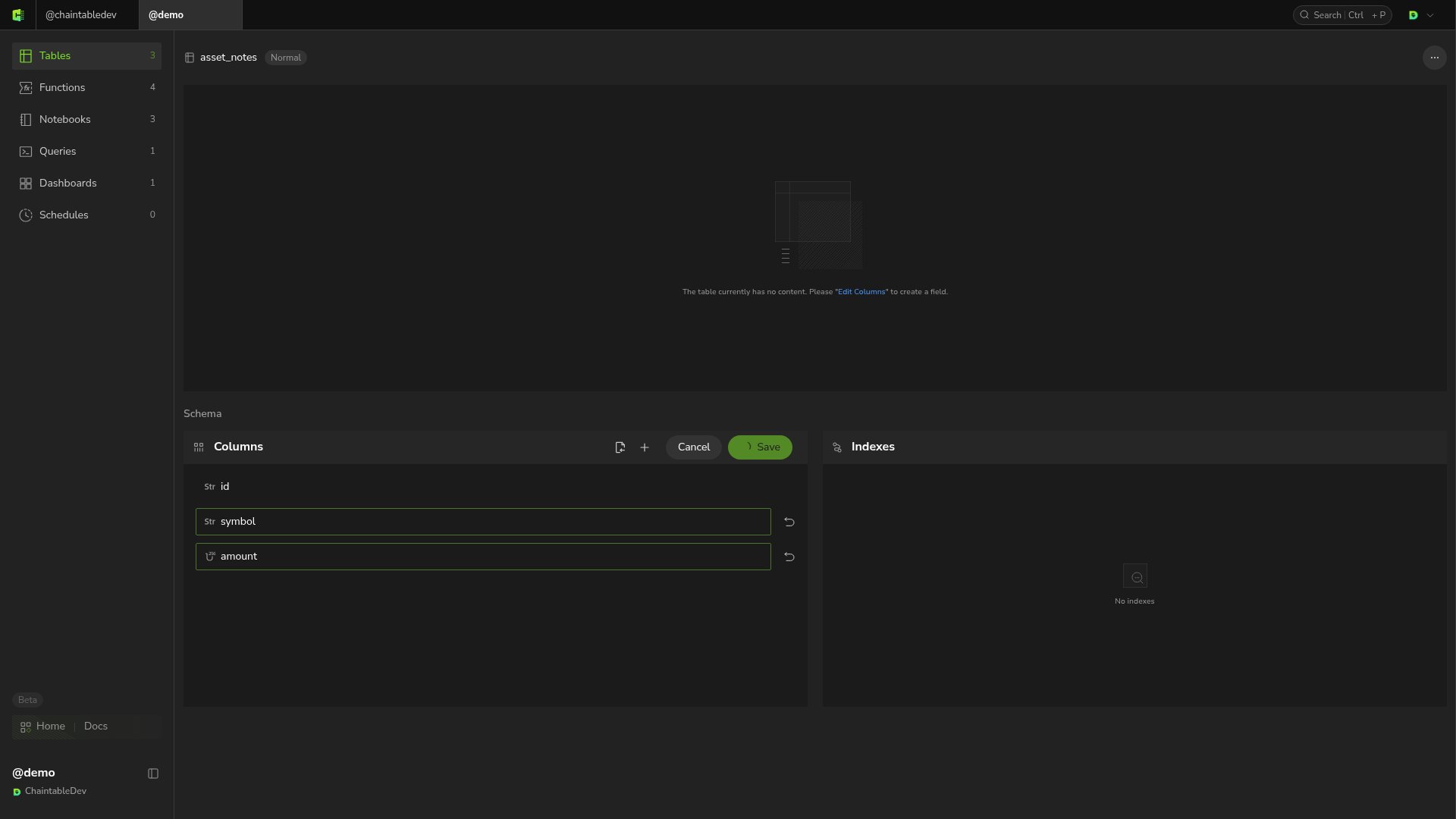 本例完整表 ID 为 `demo.asset_notes`。区块表会带链后缀,例如 `demo.pool_reserves.eth`。名称与完整 ID 不同,SDK 和 SQL 使用完整 ID。
## 区块表和时间表的预置字段
区块表预置 `id`、`block_height`、`block_id` 和 `block_timestamp`。根据业务选择主键类型:转账事件可沿用事件 ID,池状态可将 `id` 改为 `ADDRESS`。在结构保存后、首次处理区块前设置[起始高度](/zh/guides/tables/advanced#设置起始高度)。
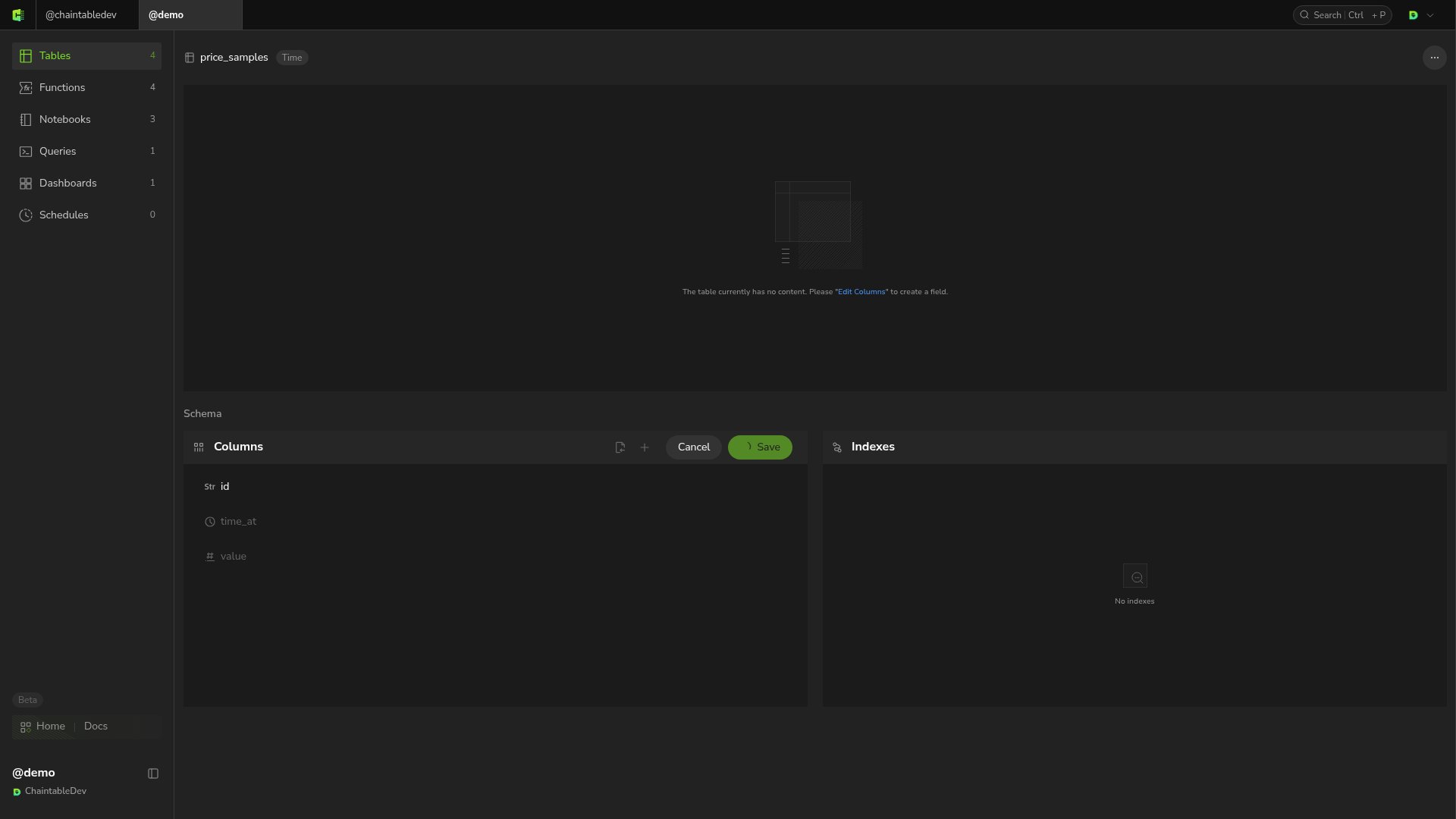
时间表的字段为 `id`、`time_at`、`value`。例如,新建 **Time** 表 `price_samples`,点击 **Columns → Edit** 查看预置字段,再点击 **Save** 初始化结构。
本例完整表 ID 为 `demo.asset_notes`。区块表会带链后缀,例如 `demo.pool_reserves.eth`。名称与完整 ID 不同,SDK 和 SQL 使用完整 ID。
## 区块表和时间表的预置字段
区块表预置 `id`、`block_height`、`block_id` 和 `block_timestamp`。根据业务选择主键类型:转账事件可沿用事件 ID,池状态可将 `id` 改为 `ADDRESS`。在结构保存后、首次处理区块前设置[起始高度](/zh/guides/tables/advanced#设置起始高度)。
时间表的字段为 `id`、`time_at`、`value`。例如,新建 **Time** 表 `price_samples`,点击 **Columns → Edit** 查看预置字段,再点击 **Save** 初始化结构。
 ## 配置索引
在 **Schema → Indexes** 中点击 **Edit**,再点击 **+**,选择需要索引的字段,点击 **Save**。例如,为 `asset_notes` 添加 `symbol` 索引。
## 配置索引
在 **Schema → Indexes** 中点击 **Edit**,再点击 **+**,选择需要索引的字段,点击 **Save**。例如,为 `asset_notes` 添加 `symbol` 索引。
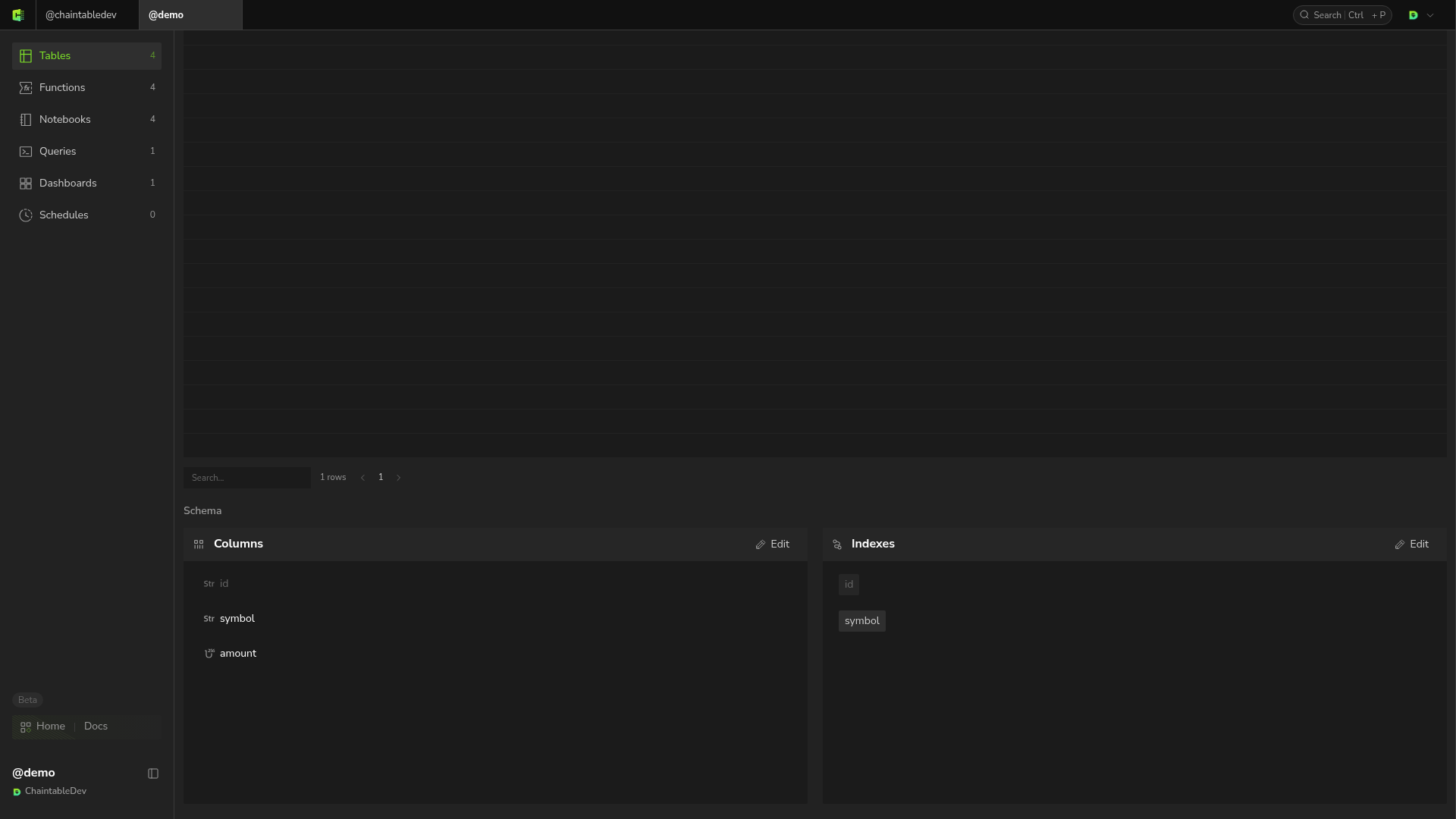 根据常用筛选条件选择索引,保留已有系统索引。
## 查看和管理
从 Space 的 **Tables** 列表重新打开表,可以查看类型、字段、索引、数据记录和更新情况。区块表的 **Overview** 还展示覆盖情况,区块和时间表通过 **Subtables** 打开不同数据视图。
表右上角的 **…** 菜单提供 **Truncate** 和 **Delete**。前者清空记录,后者删除表;界面会要求确认,操作前检查依赖该表的资源。
根据常用筛选条件选择索引,保留已有系统索引。
## 查看和管理
从 Space 的 **Tables** 列表重新打开表,可以查看类型、字段、索引、数据记录和更新情况。区块表的 **Overview** 还展示覆盖情况,区块和时间表通过 **Subtables** 打开不同数据视图。
表右上角的 **…** 菜单提供 **Truncate** 和 **Delete**。前者清空记录,后者删除表;界面会要求确认,操作前检查依赖该表的资源。