Choose a table
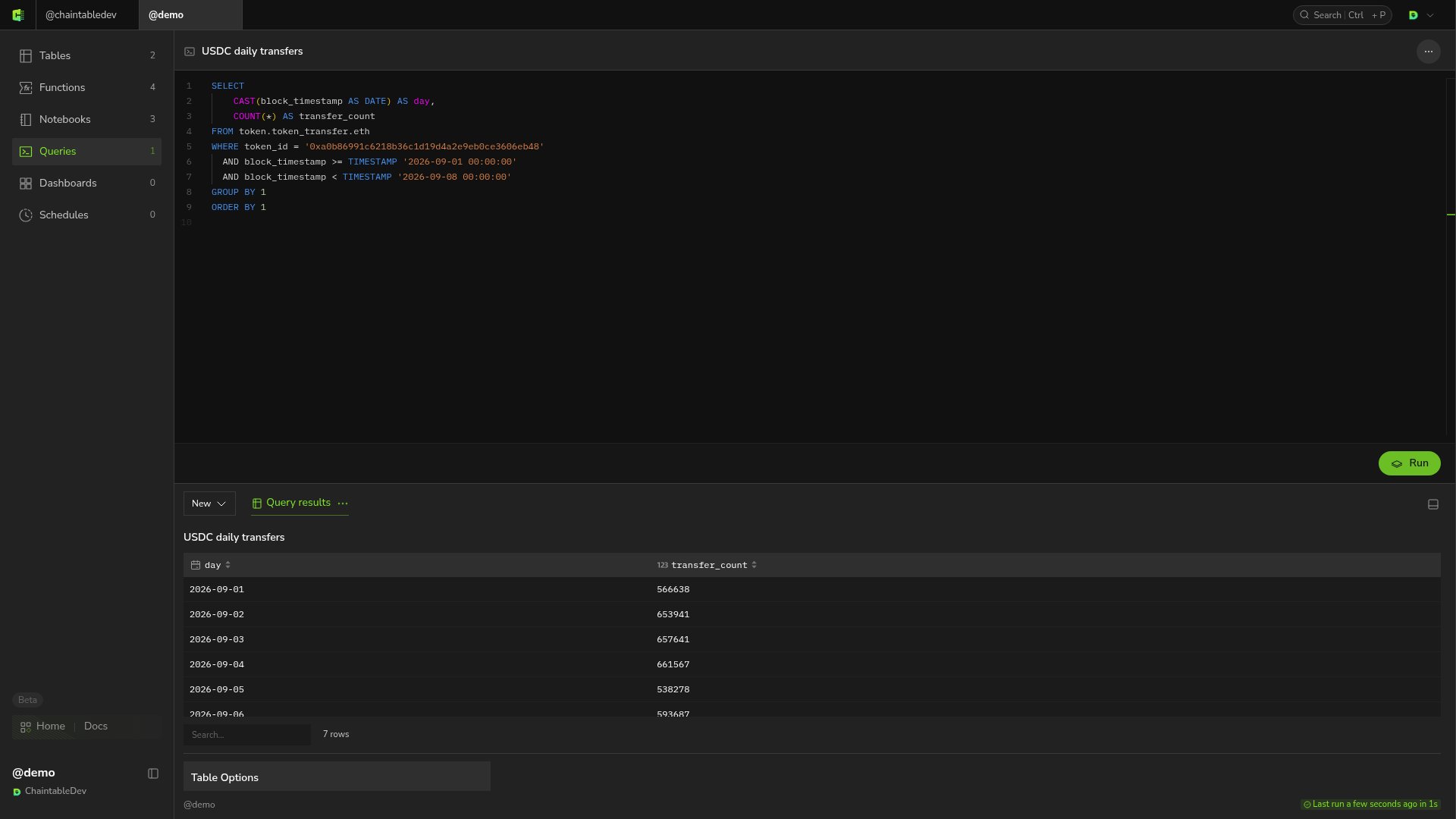
Find a table through Discover, open its details and relevant subtable, and inspect fields, sample data, and the full table ID. Use the full table ID inFROM. For example, token.token_transfer.eth is the Ethereum token-transfer table in the token Space. Do not use only the displayed name token_transfer.eth.
Create and execute
- Open your Space, select Queries, and click + in the upper right.
- Enter a query name and click Save and open.
- Enter SQL in the editor and click Run.
- Wait for completion, then inspect columns, rows, and row count in Query results.
day and transfer_count.