

demo with your Space ID.
Choose NormalTable, EventTable, StateTable, or TimeTable for the table type, and pass the full table ID when constructing the object.
Normal Tables: insert and update
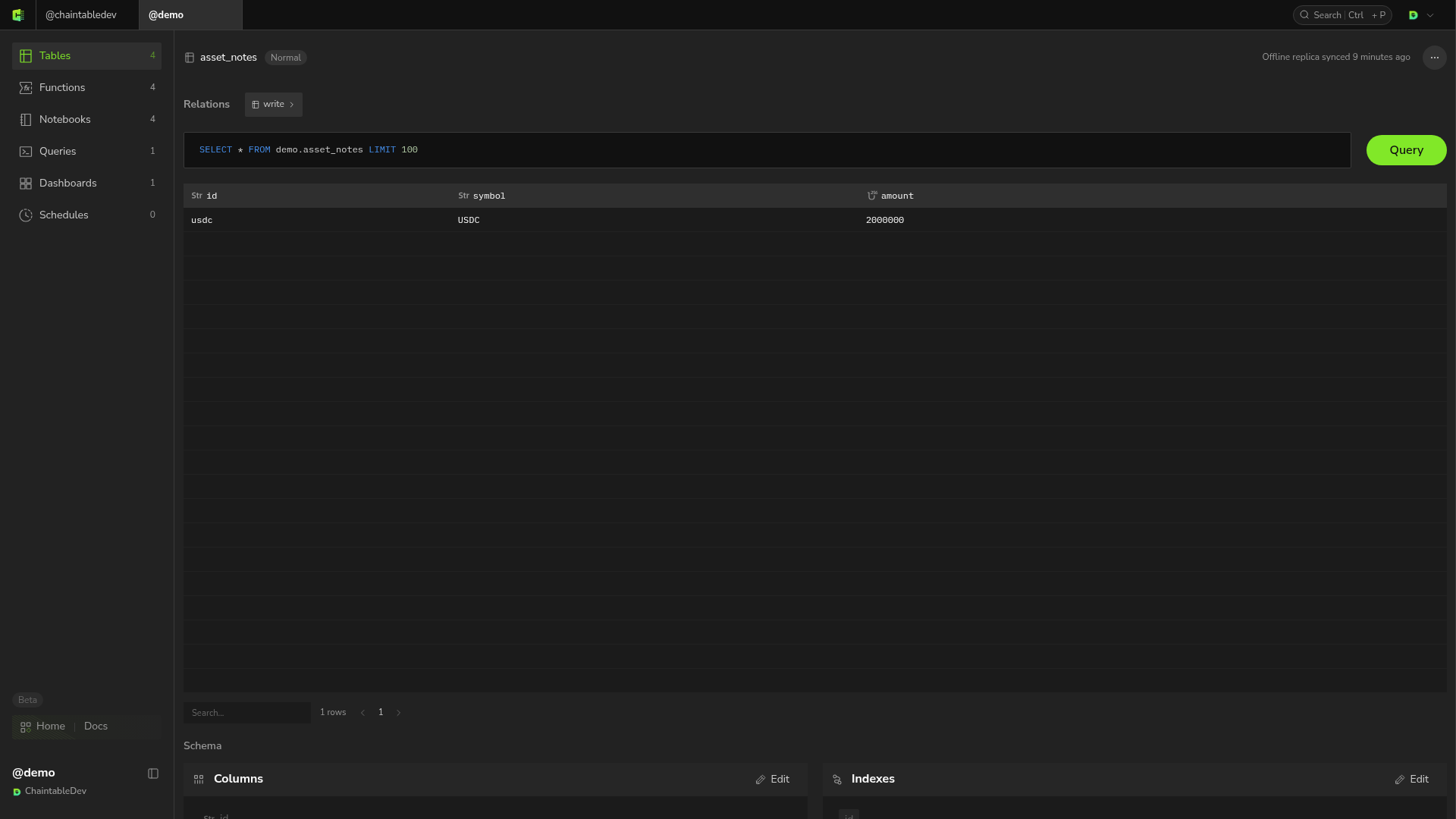
demo.asset_notes has fields id: STRING, symbol: STRING, and amount: UINT256.
id again to update the record:
write() returns True when the request is accepted; the data may become visible shortly afterward. Use these methods to read it:
get() returns None for a missing record. get_many() returns results in input ID order, with None at missing positions. filter_rows() accepts a SQL condition string without the WHERE keyword.
notes.delete(['record_id_to_delete']) to delete normal-table records.
Block tables: read current state and block records
UseEventTable for events and StateTable for state. This reads state built in Track liquidity pool reserves:
block_id, so StateTable.get() reads the object’s latest stored state without a consensus-height limit. Reading the latest state does not prove that all earlier blocks have been processed.
To read state at a specific block, use StateTable(table_id, block_id). The block must be covered by the table’s consensus height, or the read is rejected. See How tables work.
Use get_block_rows() for all records written in one block:
get() and get_many() pattern with EventTable(table_id, block_id).
Block tables: submit one block
Pass result rows and a block ID. The server fills inblock_height, block_id, and block_timestamp.
Time Tables: read and write by time
demo.price_samples uses the fixed fields id, time_at, and value, with STRING for id.
Batch writes
Usebatch_write() when the data exceeds what a single request can carry. The call differs by table type:
Block tables are submitted one block bundle at a time, replacing everything already stored for that bundle. The three block fields the server fills in for per-block writes must be present on every row here; if any is missing, the entire job fails.
Batch writes run asynchronously;
True only confirms submission. To check the status after submission, see Inspect asynchronous write jobs.